
TrackIQ:
Amazon AMC Conversion Lag & Attribution Window
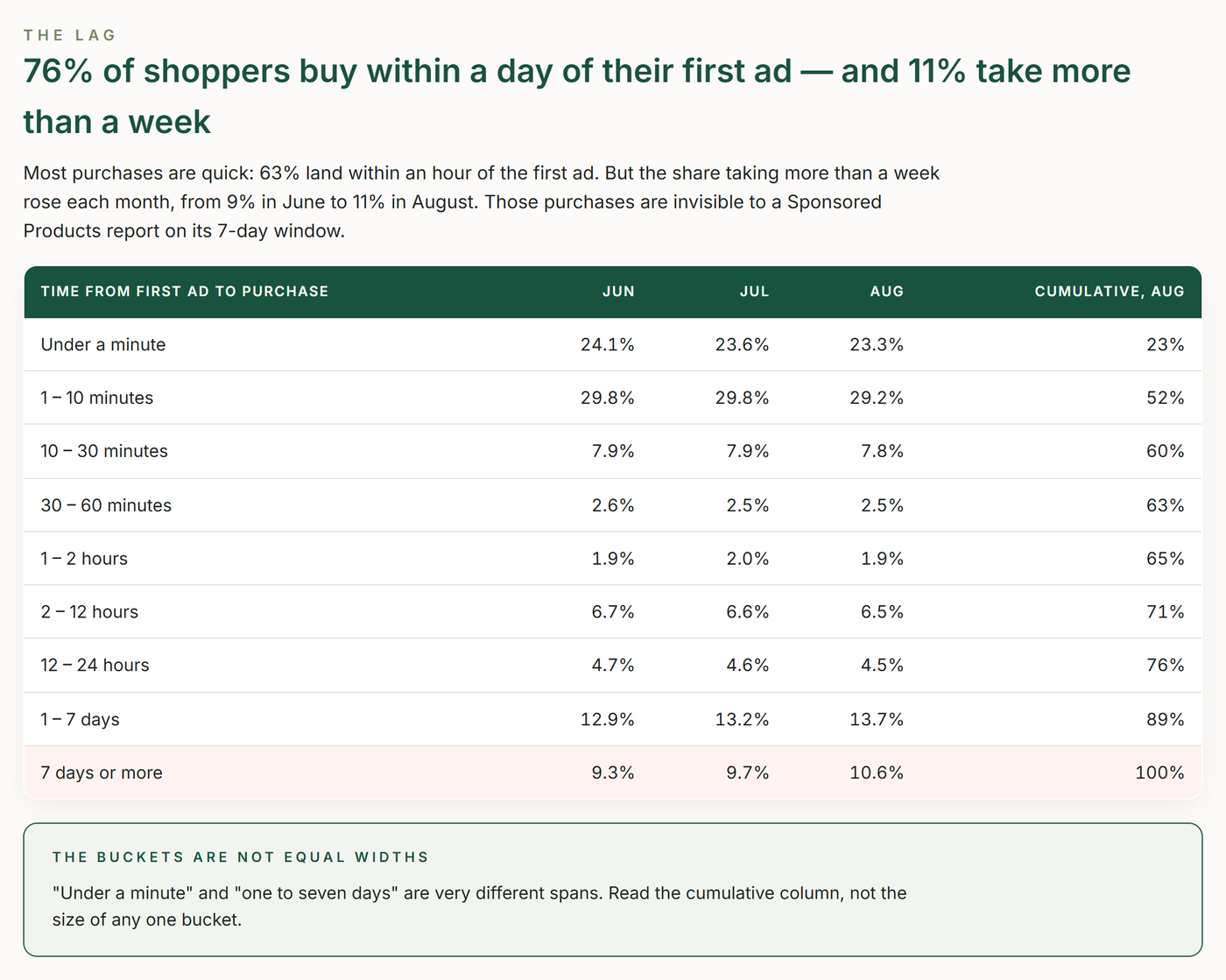
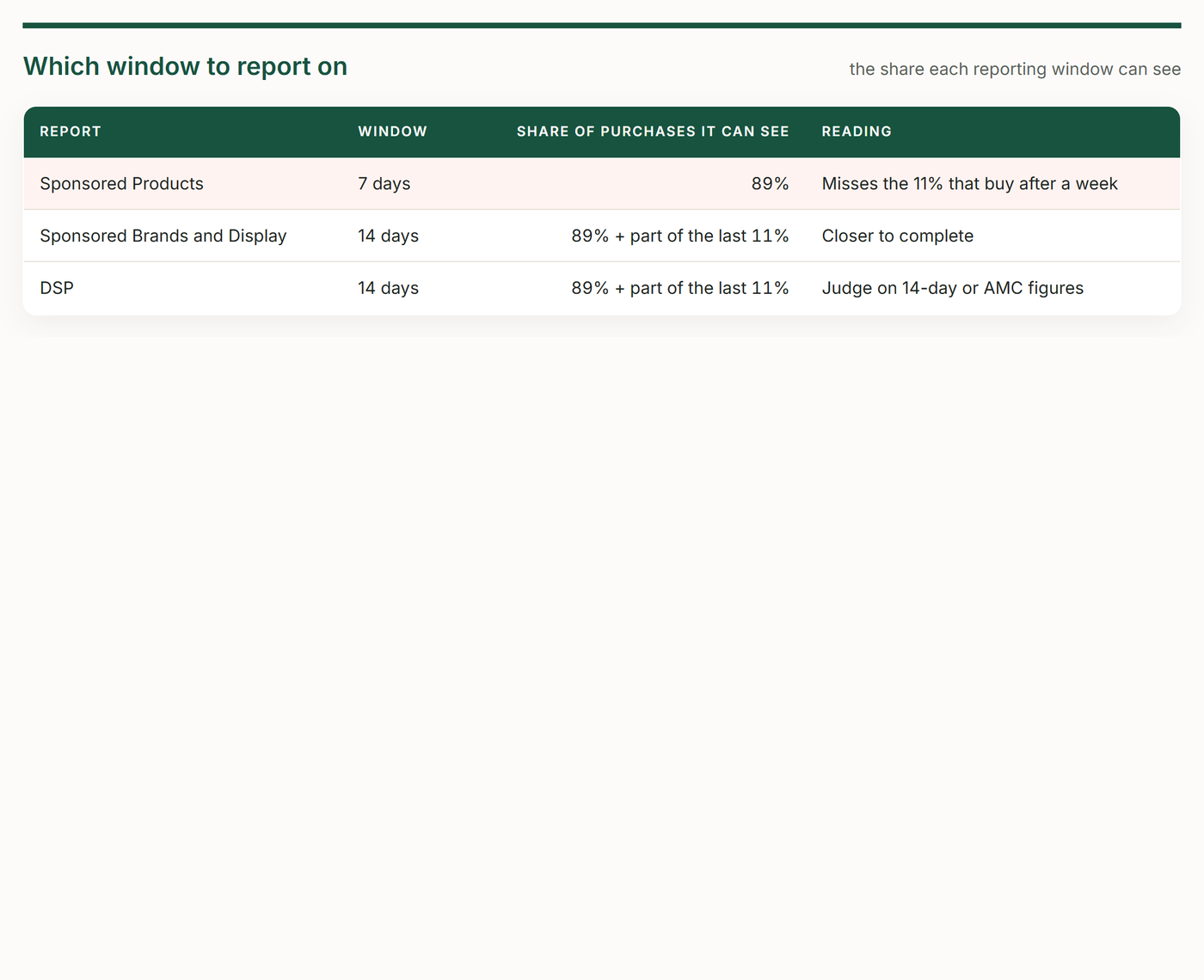
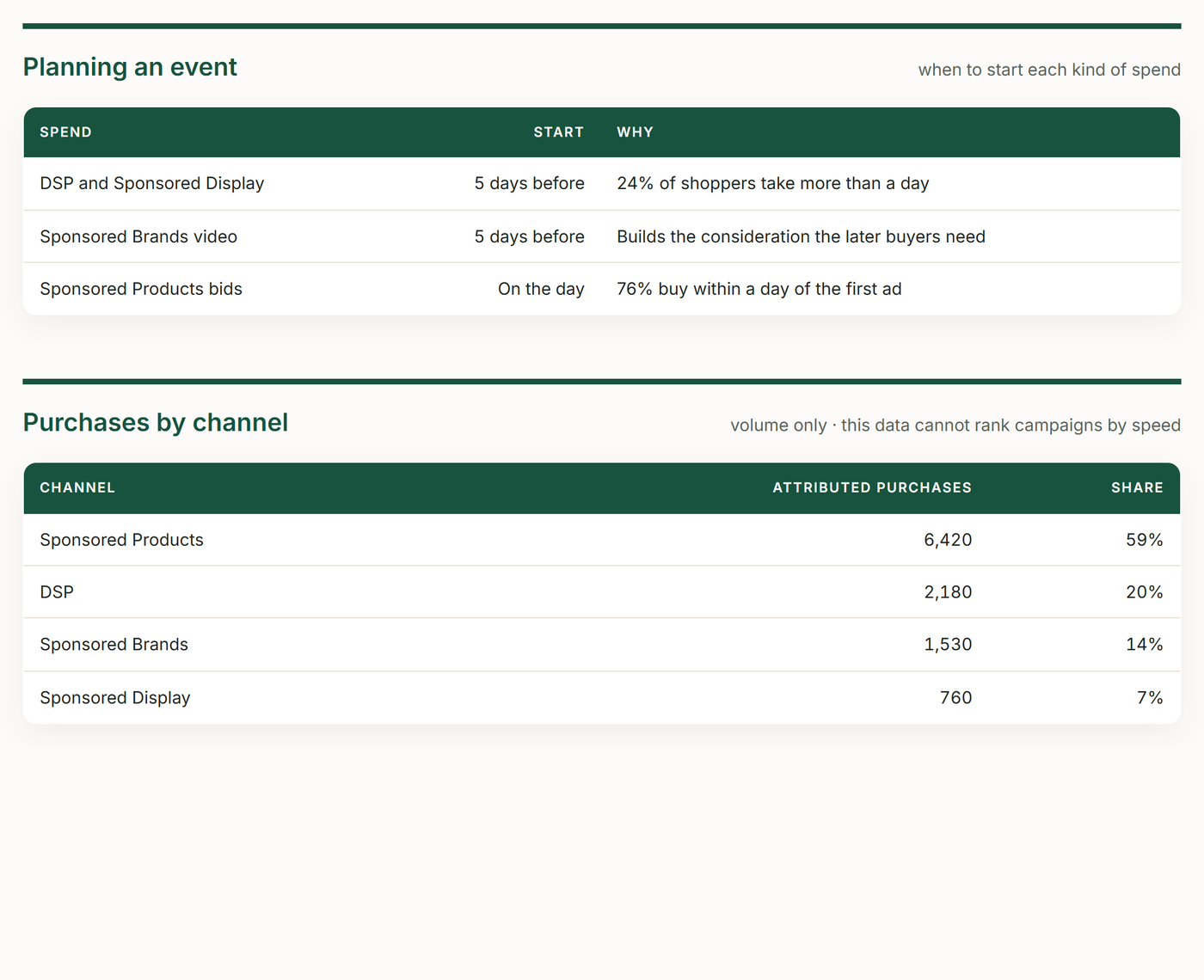
Reads Amazon Marketing Cloud's time-to-conversion data to show how long shoppers take between their first ad touch and purchase — the share that buys within the hour, the day and the week, and how that shifts month to month — then turns it into two decisions: which attribution window to report on, and how many days ahead of a sales event to start upper-funnel spend.
Skill Overview
What the Skill Does
Reads AMC's time-to-conversion buckets to set the attribution window you report on and the lead time for your next event.
Measures the lag
The share buying within the hour, the day and the week.
Tracks the trend
Whether the consideration cycle is lengthening month to month.
Shows what reports miss
The purchases a 7-day Sponsored Products window can't see.
Sets event lead time
How far ahead to start upper-funnel spend.
States its limits
Purchases only, uneven buckets, and an open-ended last one.
Get Started
Download the Skill
Get the skill package or view the source code on GitHub.
In Action
Example of the Skill
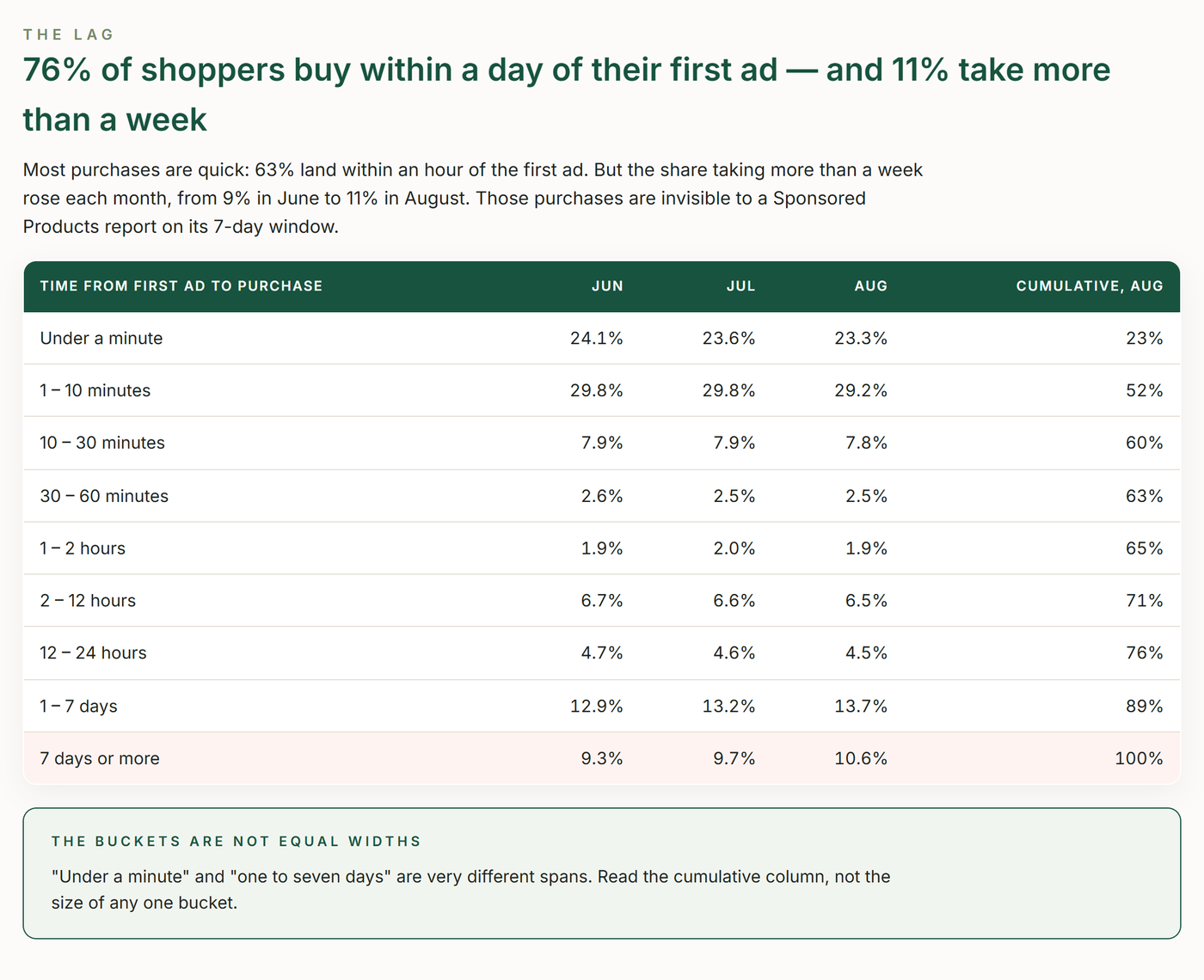
The report this skill builds, shown here with demo data. Yours is filled from your own account when it runs.
Requirements
What’s Required for the Skill
Make sure you have the following before getting started.
An active TrackIQ MCP connection to your Amazon account.
Amazon Marketing Cloud enabled. Without it the skill stops and says so.
Claude (Code, web or desktop) or ChatGPT. The same skill folder runs in each.
The MCP tools this skill calls:
Ready to go further?
Run this skill on the TrackIQ MCP
Connect your data, run the skill, and turn your Amazon account into decisions.


