
TrackIQ:
Amazon Branded vs. Non-Branded Search
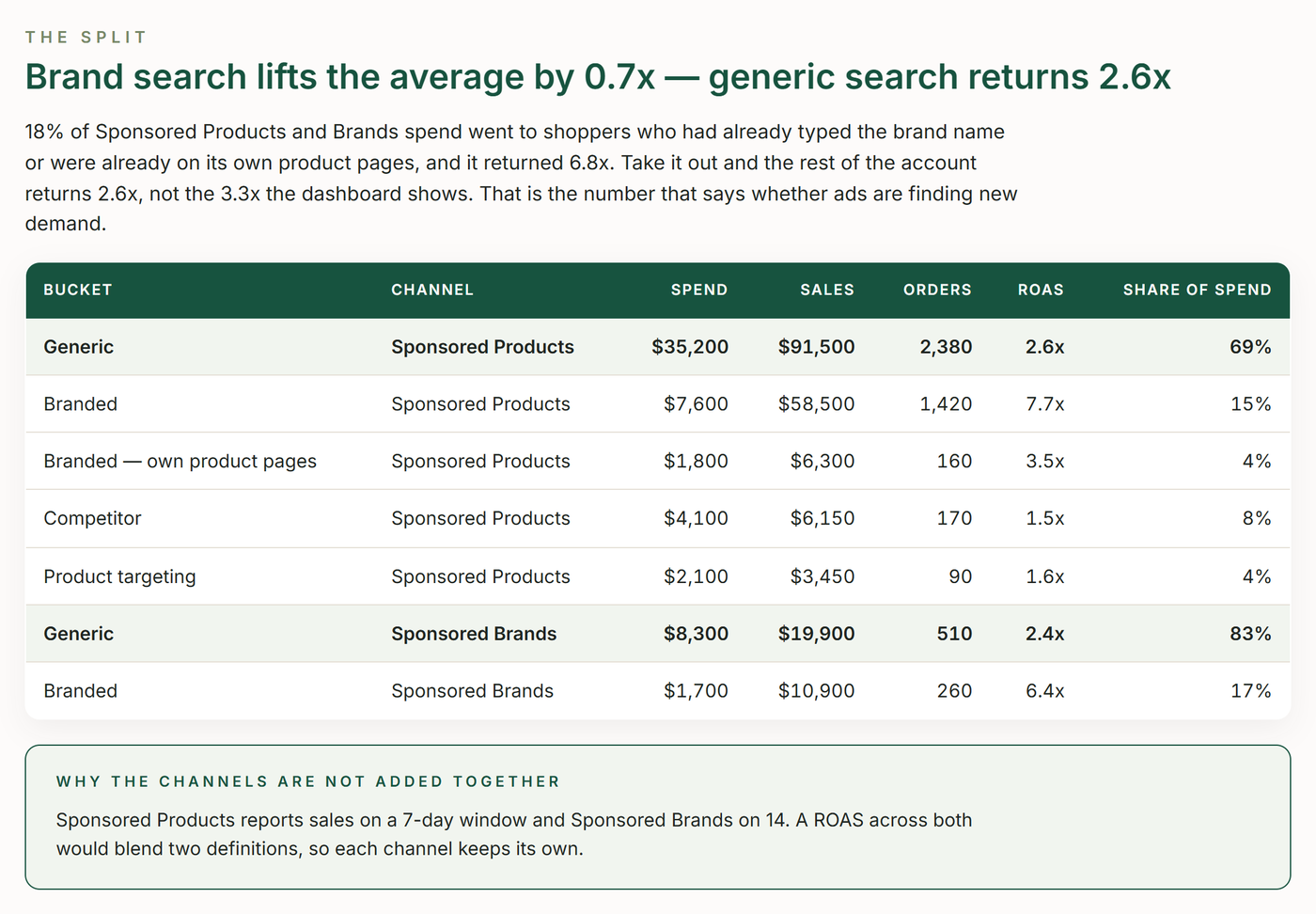
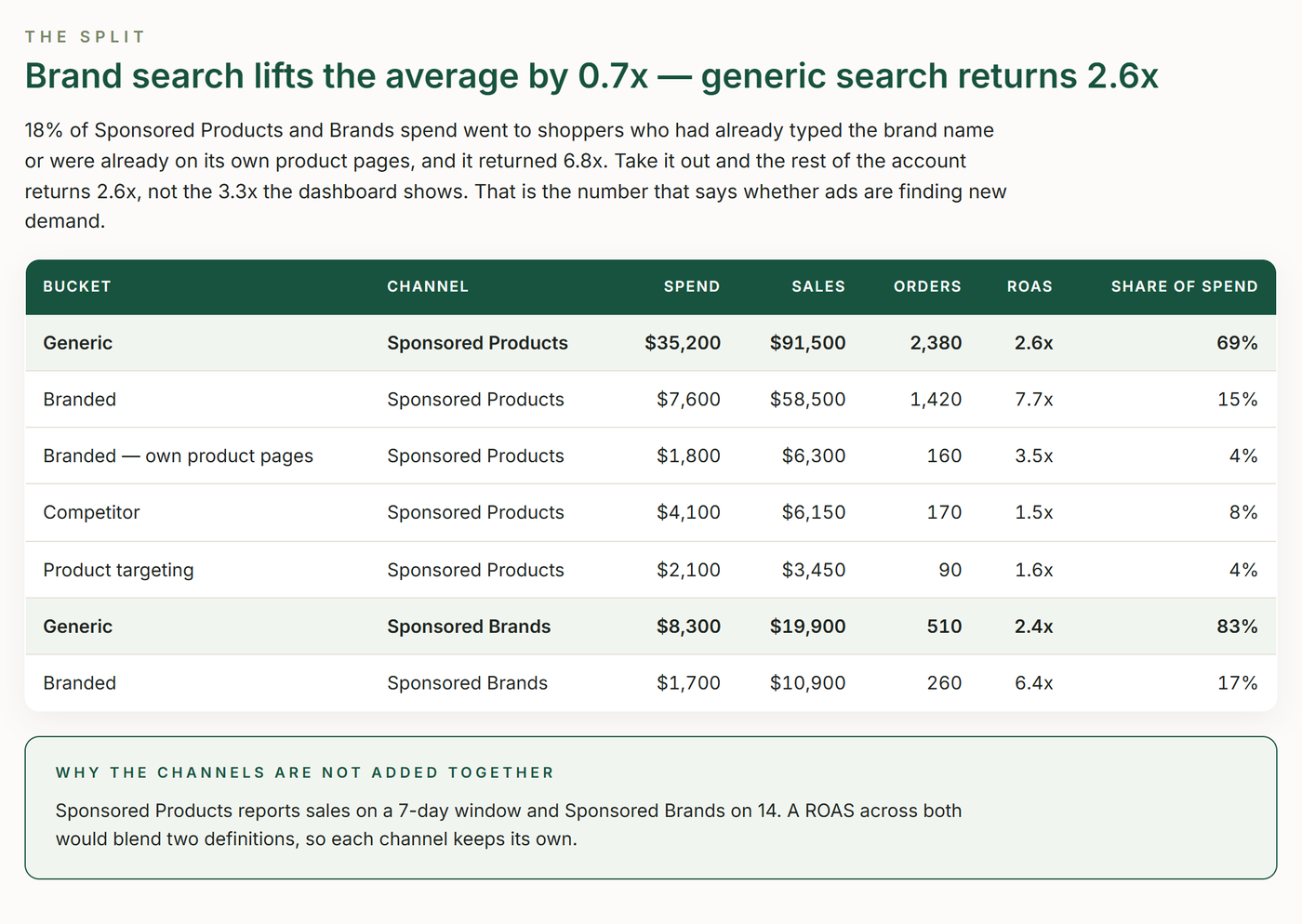
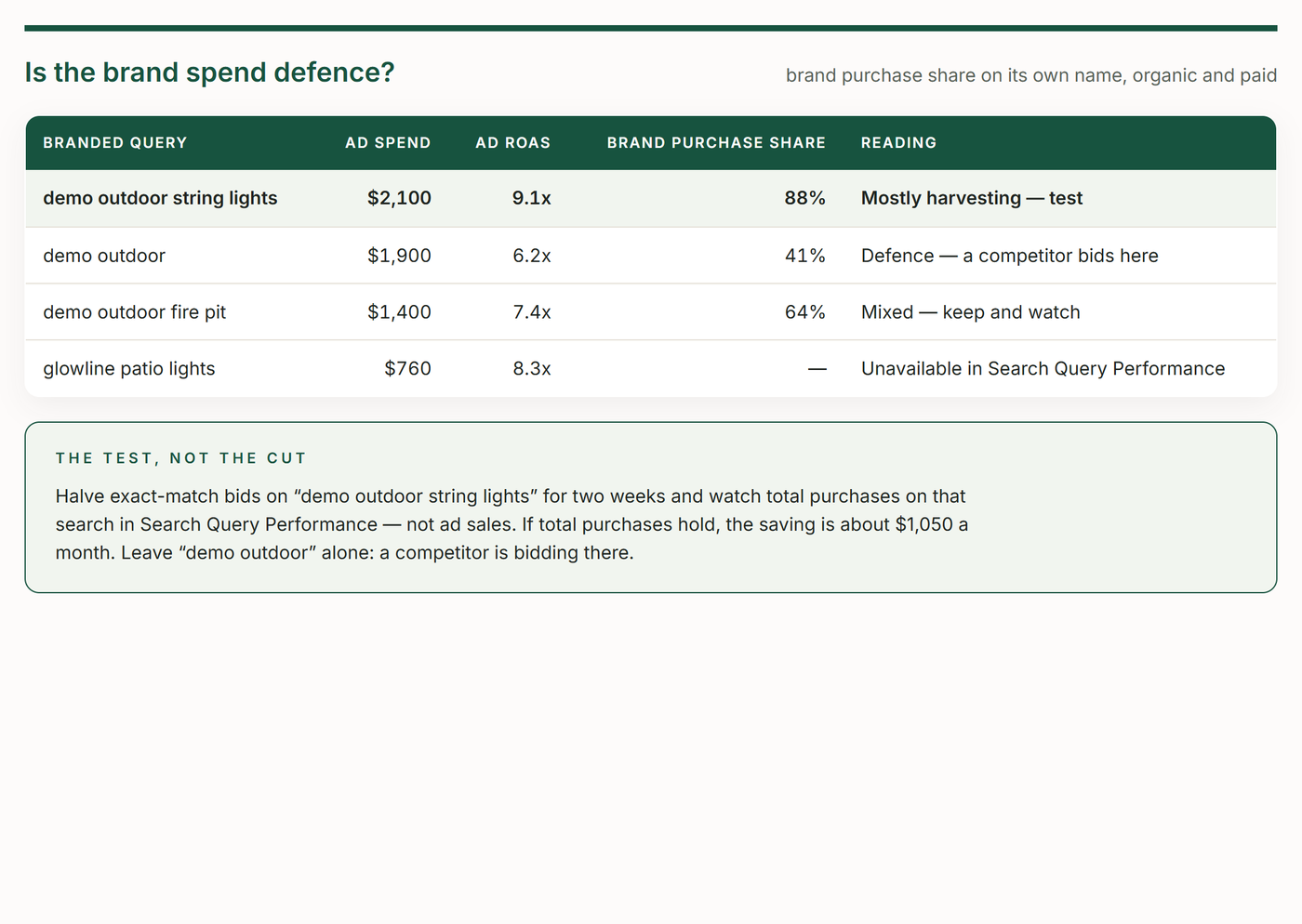
Splits every Amazon Sponsored Products and Sponsored Brands search term into branded, competitor, product-targeting and generic buckets, then shows where the ad money really goes — how much is spent on shoppers who already typed the brand, what generic search returns once brand is taken out, whether competitor conquesting pays — and checks the brand's purchase share on its own name before calling brand spend defence or waste.
Skill Overview
What the Skill Does
Splits every search term into branded, competitor, product targeting and generic, so the ROAS that measures growth isn't flattered by brand search.
Splits search four ways
Branded, competitor, product targeting and generic.
Headlines generic ROAS
The number that says whether ads find new demand.
Checks brand defence
The brand's purchase share on its own name before calling spend waste.
Prices conquesting
What competitor search returns against generic.
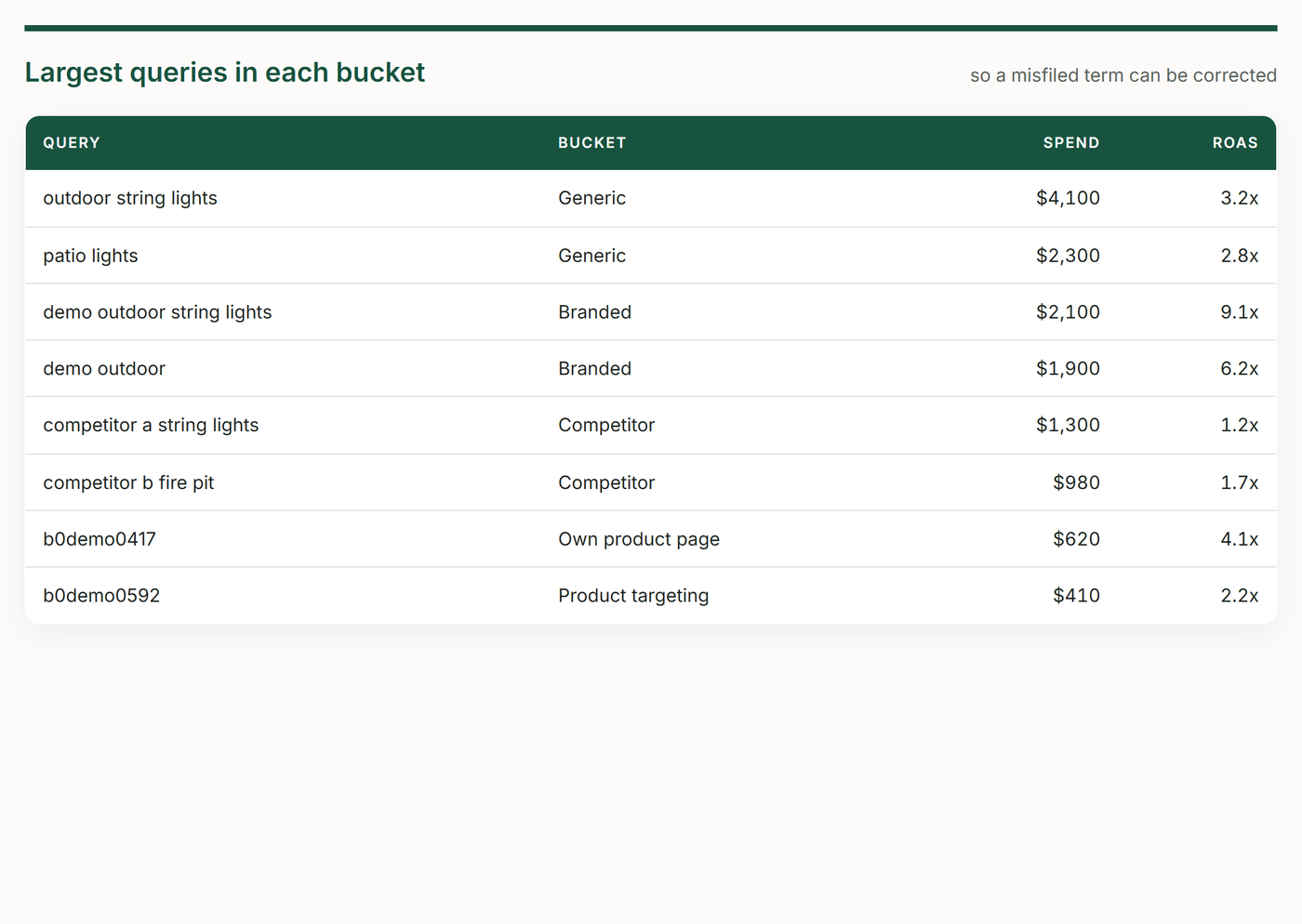
Shows its working
The terms used and the largest queries in every bucket.
Get Started
Download the Skill
Get the skill package or view the source code on GitHub.
In Action
Example of the Skill
The report this skill builds, shown here with demo data. Yours is filled from your own account when it runs.
Requirements
What’s Required for the Skill
Make sure you have the following before getting started.
An active TrackIQ MCP connection to your Amazon account.
The brand name, its misspellings and product lines, set once in account.md.
Claude (Code, web or desktop) or ChatGPT. The same skill folder runs in each.
The MCP tools this skill calls:
Ready to go further?
Run this skill on the TrackIQ MCP
Connect your data, run the skill, and turn your Amazon account into decisions.


